 Cristo+ Feature
What is it?
Registered by (in People)
What does it do?
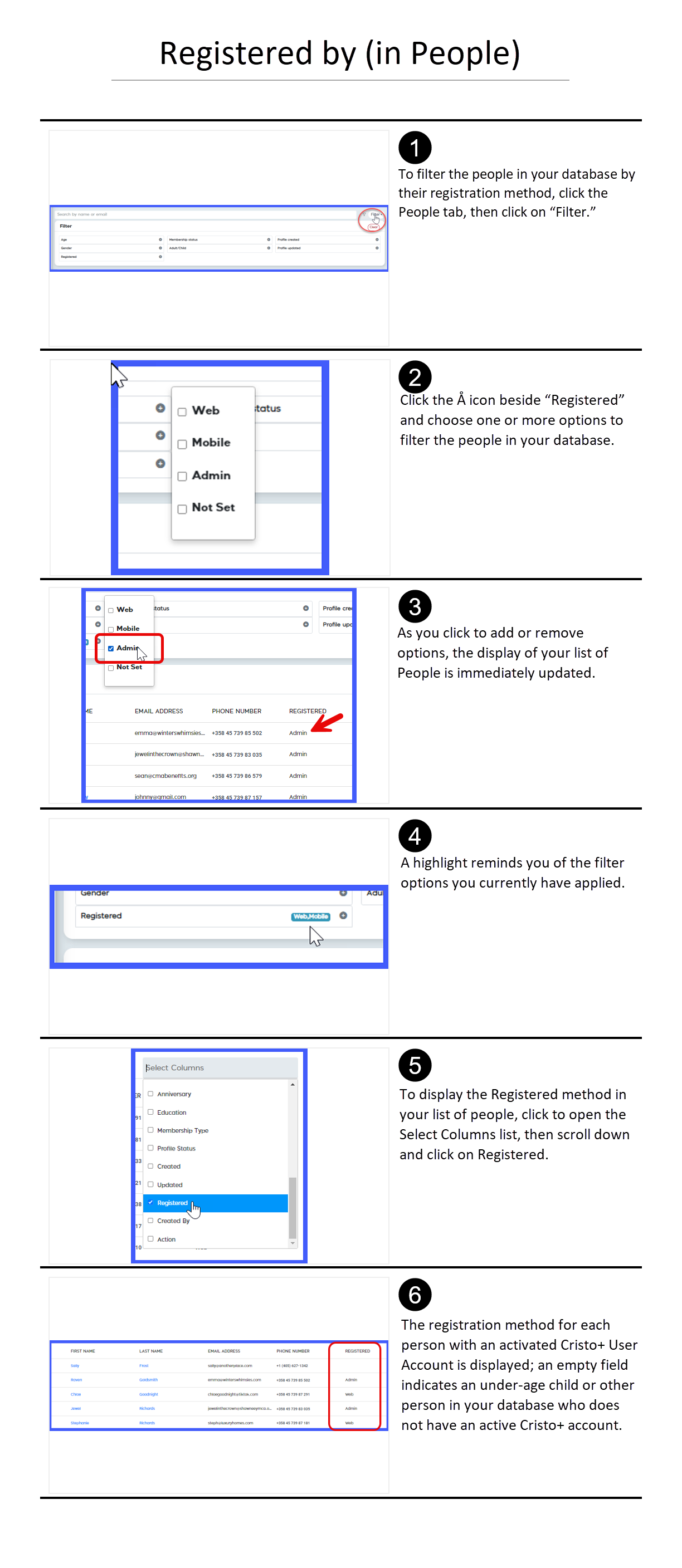
- Indicates the way a person’s Cristo+ User Account was activated
- For a person in the church database whose Cristo+ User Account has not been activated, the field is blank
- Provides visibility to Account and Member Admins of users who created their own accounts
How can you use it?
- Use the “Not Set” option in the Registered filter for a list of everyone in your database whose Cristo+ account has not been activated.
- Use the “Web” option in the Registered filter to identify users who create their own accounts through a web browser.
- Use the “Mobile” option in the Registered filter to identify users who create their own accounts through your church’s mobile app (available in Standard and Premium versions).
How do you make it work?